
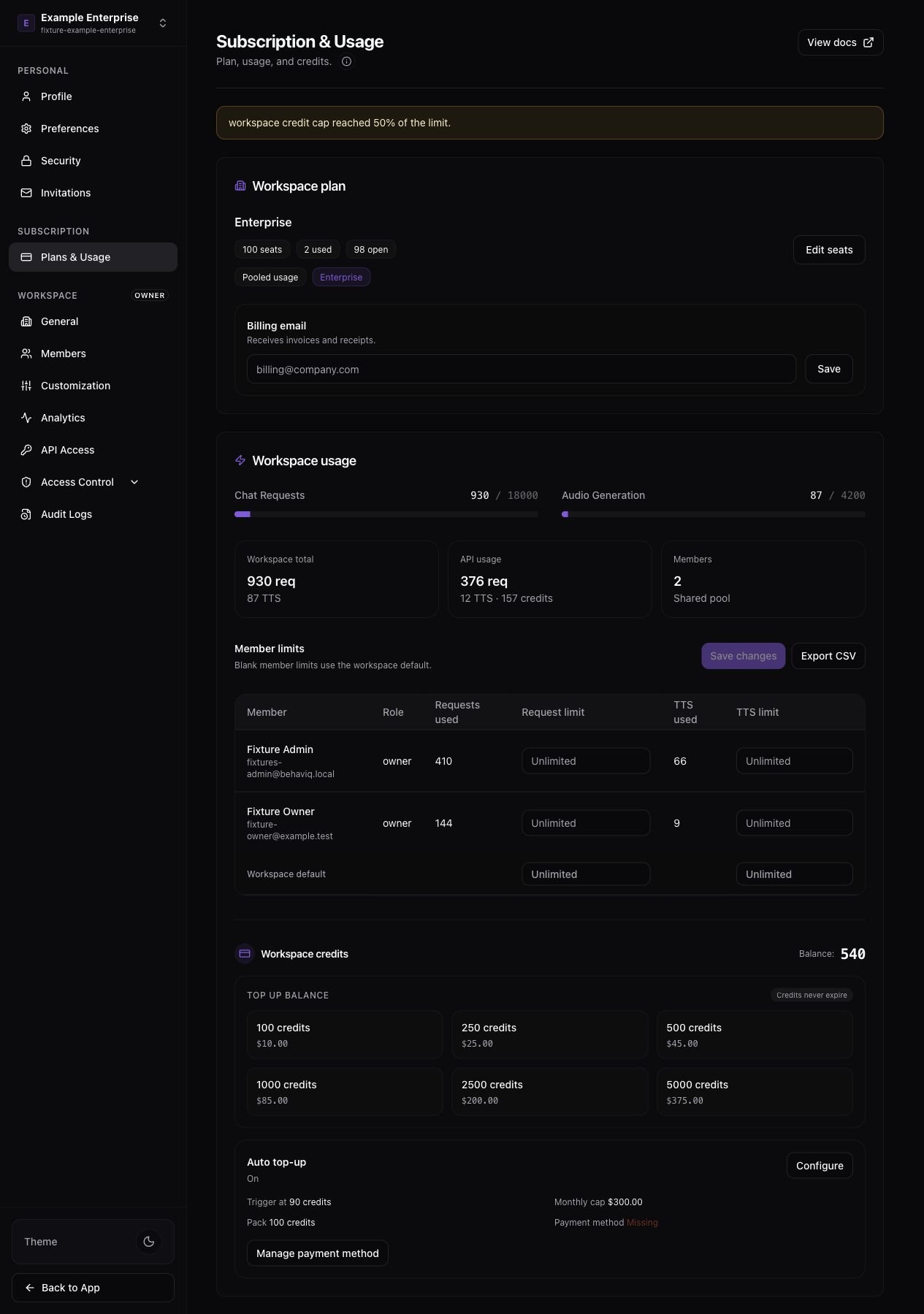
Enterprise workspaces add pooled usage and member usage controls on top of the standard billing page. The BehavIQ Enterprise billing page showing pooled usage, member limits, and enterprise controls.

Included usage

Enterprise workspaces can use pooled included usage. When pooled usage is active, the usage counters show workspace-wide chat requests and audio generation for the current period. If the workspace uses per-user usage instead, signed-in app usage follows the same per-user model as other paid plans.

Member limits

Member limits control how much signed-in app usage each member can use during the current period. Enterprise admins can set workspace default request and TTS limits, then override individual members where needed. Workspace defaults apply when a member does not have an override. Use defaults when most members should have the same allowance. For example, a workspace might give each member 100 chat requests and 20 audio generations per month. Use an override when one member needs a different allowance. Leave the override blank to use the workspace default. Enter a number to set a specific member limit. Blank workspace defaults mean unlimited.

API usage

API usage appears separately from signed-in app usage. Enterprise API and service account traffic is included in the workspace reporting and CSV export. Enterprise API billing depends on the workspace usage model. In pooled workspaces, API key and service account traffic can use the pooled included request and TTS allowance first, then credits if the pool is exhausted. In per-user workspaces, API key traffic uses credits because it is not tied to an individual member’s included usage. This is different from Business workspaces, where API key traffic always uses workspace credits immediately.

Credits

Enterprise workspaces may use included usage before credits. If credits apply, the page shows credit usage and balance to admins who can manage billing.